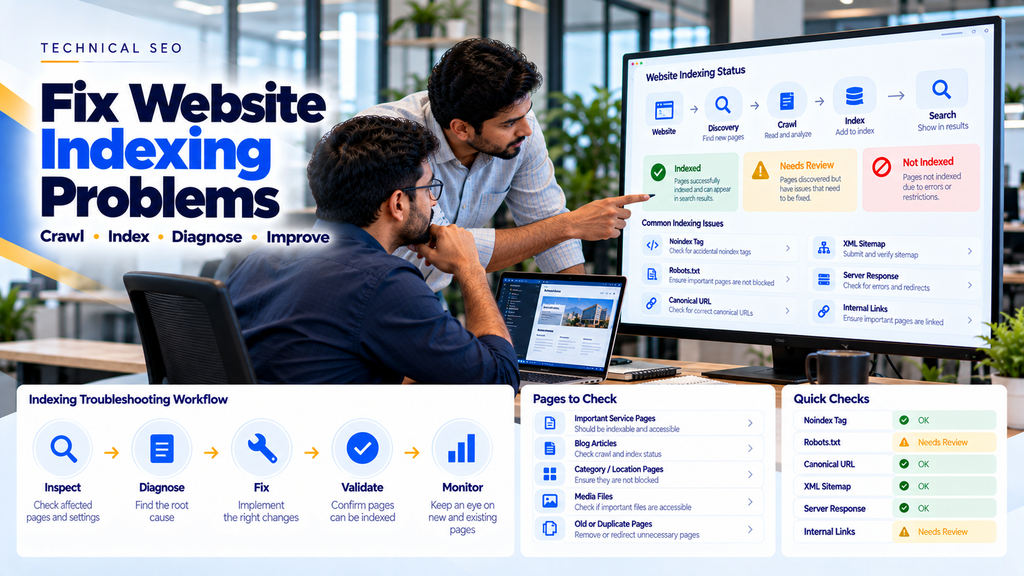
How to Fix Google Indexing Problems on Your Business Website
You have developed a professional business website, published your service pages, and added useful content. But when you search for your website on Google, some important pages are missing.
This can be frustrating, especially when your business depends on customers discovering your products and services through search engines.
One possible reason is a Google indexing problem.
If Google has not indexed a page, that page generally cannot appear as a normal organic search result.
However, not every page missing from search results has an indexing problem. Sometimes a page is indexed but does not rank prominently for the keyword being searched.
Understanding this difference is essential before making technical changes.
In this guide, we explain how to fix Google indexing problems, identify common Search Console indexing statuses, troubleshoot technical SEO errors, and improve the discoverability of important business website pages.
What Is Google Indexing?
Google indexing is the process through which Google analyzes eligible web content and may store information about it in its search index.
Google generally discovers pages through links, sitemaps, and other mechanisms.
It may then crawl and process those pages before deciding whether to index them.
A simplified process is:
URL Discovery → Crawling → Processing → Indexing Decision → Potential Search Appearance
Not every discovered or crawled page is indexed.
Google makes indexing decisions based on multiple factors, including accessibility, content, duplication, and other signals.
Crawling vs Indexing vs Ranking
These three terms describe different parts of search engine operation.
| Process | Meaning |
|---|---|
| Discovery | Google becomes aware of a URL. |
| Crawling | Googlebot requests the page or resource. |
| Indexing | Google decides whether to include the content in its search index. |
| Ranking | Google determines which indexed pages may be relevant to a particular search. |
A page can be crawled without being indexed.
A page can also be indexed without ranking well for a competitive search query.
Why Is My Website Not Showing on Google?
There are several possible reasons:
- The website is new.
- Google has not discovered the page.
- The page has a noindex directive.
- Robots.txt blocks crawling.
- The page returns an incorrect HTTP status.
- Google considers another URL canonical.
- The content substantially duplicates another page.
- The page has limited useful content.
- Internal links are missing.
- The page depends on JavaScript that is not rendered as expected.
- The server has accessibility problems.
- The page is indexed but not ranking for the searched keyword.
Different causes require different solutions. Avoid changing multiple technical settings before identifying the actual problem.
Step 1: Check Google Search Console
Google Search Console is an important tool for investigating Google indexing issues.
It provides information about how Google discovers, crawls, and indexes pages from a verified website property.
To begin:
- Open Google Search Console.
- Select the correct website property.
- Open the Pages report under Indexing.
- Review indexed and non-indexed page information.
- Identify which important URLs need investigation.
Not every excluded URL represents an error. Some exclusions are intentional or normal.
Step 2: Use the URL Inspection Tool
The URL Inspection tool provides information about an individual page.
Enter the exact URL you want to investigate.
Review information such as:
- Whether the URL is on Google
- Last crawl information, when available
- Page indexing status
- Indexing permissions
- User-declared canonical
- Google-selected canonical
You can also use the live URL test to investigate the page’s current accessibility and indexing eligibility.
A successful live test does not guarantee that Google will index the page.
Step 3: Understand Common Indexing Statuses
Google Search Console may report several reasons why URLs are not indexed.
| Status | What to Investigate |
|---|---|
| Discovered – currently not indexed | Discovery, crawl scheduling, server capacity, site quality and internal links |
| Crawled – currently not indexed | Content usefulness, duplication, canonical signals and page quality |
| Excluded by noindex tag | Meta robots and X-Robots-Tag directives |
| Blocked by robots.txt | Crawling restrictions |
| Duplicate without user-selected canonical | Duplicate URLs and canonical configuration |
| Alternate page with proper canonical tag | Whether the canonical relationship is intentional |
| Not found (404) | Removed URLs, broken links and replacement pages |
| Server error (5xx) | Hosting and application availability |
Step 4: Fix Discovered – Currently Not Indexed
This status generally means Google knows about a URL but has not yet crawled it.
Possible contributing factors include:
- Newly discovered pages
- Large numbers of low-value URLs
- Server capacity limitations
- Weak internal linking
- Crawl scheduling decisions
Recommended Actions
- Confirm the URL is important and should be indexed.
- Ensure it is linked from relevant pages.
- Check whether the server is accessible and reliable.
- Include the canonical URL in the XML sitemap.
- Reduce unnecessary automatically generated URLs.
- Allow time for Google to schedule crawling.
Repeatedly submitting the same URL does not force Google to crawl or index it immediately.
Step 5: Fix Crawled – Currently Not Indexed
This status indicates that Google has crawled the page but has not included it in the index.
There is no single universal cause.
Possible areas to investigate include:
- Substantially duplicate content
- Thin or unhelpful pages
- Incorrect canonical signals
- Unclear page purpose
- Low-value automatically generated pages
- Content that provides little additional value
How to Improve the Page
Review whether the page genuinely satisfies its intended search purpose.
For a business service page, useful information may include:
- Clear service description
- Problems the service addresses
- Who the service is for
- Important features or scope
- Business-specific expertise
- Real examples where available
- Relevant internal links
- Clear contact information
Do not add hundreds of words simply to increase page length. Improve the page’s usefulness instead.
Step 6: Check for Noindex Tags
A noindex directive tells supporting search engines not to include a page in their search indexes.
For example:
<meta name="robots" content="noindex">This may be appropriate for some pages but problematic when applied to important service pages.
If an important page has an unintended noindex directive, remove or correct it.
For an indexable page, a robots meta tag is not required simply to permit indexing.
Also check HTTP response headers for an X-Robots-Tag noindex directive.
Google must be able to crawl the page to discover a page-level noindex directive reliably.
Step 7: Check Robots.txt
The robots.txt file communicates crawling restrictions to compliant crawlers.
It is commonly located at:
https://www.example.com/robots.txtFor example, the following rule blocks all compliant crawlers from crawling the entire website:
User-agent: *
Disallow: /
This can be a serious problem if accidentally left on a public business website.
By contrast:
User-agent: *
Disallow:
does not specify a crawling restriction for that user-agent group.
Important: Robots.txt controls crawling, not guaranteed indexing exclusion. A blocked URL can sometimes still appear in search results without its content being crawled.
Step 8: Fix Canonical Tag Problems
Canonical tags help communicate which URL is preferred when multiple URLs contain duplicate or substantially similar content.
Example:
<link rel="canonical"
href="https://www.example.com/services/">
Common canonical problems include:
- Canonical pointing to an unrelated page
- Canonical pointing to the homepage accidentally
- Incorrect HTTP/HTTPS version
- Incorrect www/non-www version
- Multiple conflicting canonical tags
- Canonical pointing to an unavailable URL
Google treats canonical declarations as signals rather than absolute commands.
Use URL Inspection to compare the user-declared canonical with Google’s selected canonical.
Step 9: Fix Duplicate Content Issues
Duplicate or near-duplicate pages can complicate canonical selection.
Examples include:
- Multiple URLs showing the same content
- Tracking parameters creating duplicate URLs
- Printer-friendly versions
- Repeated product descriptions
- Near-identical location pages
Where appropriate, consolidate duplicate pages, improve unique content, use canonical tags, or implement redirects.
Step 10: Avoid Duplicate Location Pages
Businesses targeting Erode district may create pages for:
- Erode
- Perundurai
- Bhavani
- Anthiyur
- Gobichettipalayam
- Sathyamangalam
- Chennimalai
- Modakkurichi
However, publishing the same service description with only the town name changed provides limited unique value.
Location pages should exist for a meaningful user purpose and contain accurate, genuinely relevant information.
Do not assume every location page must be indexed separately.
Step 11: Review XML Sitemaps
An XML sitemap helps search engines discover URLs that a website considers important.
Example:
<?xml version="1.0" encoding="UTF-8"?>
<urlset
xmlns="http://www.sitemaps.org/schemas/sitemap/0.9">
  <url>
    <loc>https://www.example.com/</loc>
  </url>
  <url>
    <loc>https://www.example.com/services/</loc>
  </url>
</urlset>
A sitemap should generally contain canonical URLs intended for indexing.
Avoid including:
- Unintended noindex pages
- Redirecting URLs
- Deleted URLs
- Duplicate URL variations
- Unnecessary parameter URLs
Submitting a sitemap helps discovery but does not guarantee indexing.
Step 12: Fix Broken Links and 404 Errors
A 404 response indicates that the requested resource was not found.
Not every 404 is a problem.
For example, a permanently removed page with no appropriate replacement may legitimately return 404 or 410.
However, important pages accidentally returning 404 should be repaired.
Recommended Actions
- Restore accidentally deleted important pages.
- Correct broken internal links.
- Redirect old URLs when there is a genuinely relevant replacement.
- Update navigation and sitemap URLs.
- Allow permanently removed pages to return an appropriate status.
Step 13: Check Redirect Problems
Redirects are useful when URLs change.
A permanent redirect is commonly implemented using HTTP status 301 or 308.
Common problems include:
- Redirect loops
- Long redirect chains
- Redirecting unrelated pages to the homepage
- Internal links pointing to outdated URLs
- Redirect destinations returning errors
For important pages, use direct, relevant redirects whenever possible.
Step 14: Fix Server Errors
Googlebot needs to access website resources reliably.
Frequent server errors may interfere with crawling.
Common causes include:
- Hosting outages
- Application crashes
- Database failures
- Server configuration errors
- Resource limitations
- Overly restrictive security rules
Investigate server logs, application logs, and hosting availability.
Do not automatically block legitimate Googlebot requests while attempting to control unwanted traffic.
Step 15: Improve Internal Linking
Internal links help users and crawlers discover related website pages.
A page with no useful internal links is often called an orphan page.
For example:
Homepage → SEO Services → Technical SEO → Indexing Troubleshooting
Important service pages should be accessible through logical navigation and contextual links.
Use descriptive anchor text and avoid creating excessive irrelevant links.
Step 16: Review JavaScript Rendering
Some websites rely heavily on JavaScript to display important content.
Google can render many JavaScript-based websites, but rendering and implementation problems can affect content discovery.
Review whether:
- Important content appears in the rendered page.
- Navigation uses crawlable links.
- Critical resources are accessible.
- Pages have meaningful URLs.
- Server responses are correct.
- JavaScript errors prevent content loading.
Use appropriate rendering diagnostics and the URL Inspection tool when investigating JavaScript-heavy websites.
Step 17: Check Website Migration Problems
Indexing issues sometimes appear after a website redesign or migration.
Common causes include:
- Old URLs not redirected
- Staging noindex tags left active
- Incorrect canonical URLs
- Broken internal links
- Missing XML sitemap updates
- Changed URL structure
- Unexpected server responses
A migration should include URL mapping, redirect testing, indexability checks, and post-launch monitoring.
Step 18: Fix WordPress Indexing Problems
WordPress websites can experience indexing problems due to settings, plugins, themes, or server configurations.
Review:
- Search engine visibility settings
- SEO plugin noindex rules
- Canonical configuration
- XML sitemap output
- Category and tag archives
- Duplicate content
- Redirect rules
- Robots.txt configuration
After changes, inspect the final rendered page and its HTTP response rather than relying only on plugin settings.
Step 19: Fix Shopify Indexing Problems
Shopify stores can have indexing challenges related to product URLs, collection URLs, canonicalization, and product availability.
Review:
- Product canonical URLs
- Collection navigation
- Product availability
- Duplicate product paths
- Theme-generated metadata
- App-generated pages
- Internal product links
Do not attempt to index every parameter or filtered URL automatically.
Step 20: Fix WooCommerce Indexing Problems
WooCommerce websites may generate many product, category, filter, and parameter-based URLs.
Important areas include:
- Product indexability
- Category page usefulness
- Product variations
- Canonical tags
- Filtered navigation
- Out-of-stock product handling
- SEO plugin configuration
Choose which URL types genuinely deserve to appear in search results.
Step 21: Check Content Quality
Technical eligibility alone does not guarantee indexing.
Important pages should provide a clear purpose and meaningful value to visitors.
For example, a software development service page should explain what the company offers, who it serves, how the process works, and how customers can enquire.
A page consisting mainly of repeated keywords and generic claims may offer little additional value.
Step 22: Should Every Website Page Be Indexed?
No.
Some pages may not need to appear in organic search results.
Depending on the website, examples may include:
- Internal search result pages
- Private account pages
- Temporary staging pages
- Duplicate URL variations
- Some utility pages
- Low-value automatically generated pages
The objective is to make important, useful pages eligible for indexing—not to force every URL into Google’s index.
Step 23: Request Indexing After Fixing a Page
After correcting an important page’s technical issues:
- Open Google Search Console.
- Inspect the exact canonical URL.
- Run the live URL test.
- Confirm the page is accessible and indexable.
- Use Request Indexing when appropriate.
- Monitor the URL over time.
Requesting indexing does not guarantee immediate crawling or inclusion in Google Search.
For certain report-level issues, Search Console may also offer a validation workflow.
Step 24: How Long Does Google Indexing Take?
There is no guaranteed indexing timeline.
Discovery, crawling, and indexing can take different amounts of time depending on the website and URL.
Some pages may be processed relatively quickly, while others take longer or are not selected for indexing.
Repeated requests do not guarantee faster results.
Step 25: How to Check Whether a Page Is Indexed
For a verified website, URL Inspection in Google Search Console is the most useful starting point for examining an individual URL’s indexing status.
A Google search using the site: operator can provide a rough indication of pages appearing in search, but it is not a complete or reliable indexing audit.
Do not treat the number of results from a site search as an exact indexed-page count.
Step 26: Indexing Problems vs Ranking Problems
Suppose a business website is indexed, but the company cannot find it when searching for “website development company in Erode.”
That does not necessarily mean the website has an indexing problem.
The page may simply not rank prominently for that query.
In that situation, investigate:
- Search intent
- Content relevance
- Service-page quality
- On-page SEO
- Internal linking
- Competition
- Local SEO
- Off-page signals
Read On-Page SEO Services in Erode.
Step 27: Google Indexing Problems for Erode Businesses
Businesses in Erode and surrounding areas may face indexing challenges after publishing new websites, service pages, location pages, or blog content.
These issues can affect websites serving customers in areas such as:
- Erode
- Perundurai
- Bhavani
- Anthiyur
- Gobichettipalayam
- Sathyamangalam
- Chennimalai
- Modakkurichi
- Kodumudi
- Nambiyur
- Kavindapadi
- Ammapettai
- Arachalur
- Sivagiri
- Punjai Puliampatti
Location relevance alone does not guarantee indexing.
Each important page should have a useful purpose, appropriate technical configuration, and a logical place within the website.
Step 28: Common Indexing Mistakes to Avoid
- Leaving staging noindex tags on a live website
- Blocking important pages in robots.txt
- Using incorrect canonical URLs
- Submitting deleted pages in XML sitemaps
- Creating hundreds of duplicate location pages
- Publishing low-value autogenerated content
- Ignoring broken internal links
- Redirecting unrelated pages to the homepage
- Assuming sitemap submission guarantees indexing
- Repeatedly requesting indexing without fixing problems
- Confusing indexing with keyword rankings
- Ignoring server errors
- Making untested SEO plugin changes
Step 29: Complete Google Indexing Troubleshooting Checklist
- Verify the website in Google Search Console.
- Review the Pages indexing report.
- Identify important non-indexed URLs.
- Inspect each affected URL.
- Check the live URL response.
- Review noindex directives.
- Review robots.txt restrictions.
- Check canonical tags.
- Investigate duplicate URLs.
- Verify HTTP status codes.
- Review redirects.
- Fix important broken internal links.
- Check XML sitemap URLs.
- Improve genuinely weak content.
- Review internal linking.
- Check JavaScript rendering where relevant.
- Investigate hosting and server errors.
- Retest corrected pages.
- Request indexing when appropriate.
- Monitor indexing status over time.
Step 30: How Greap Technologies Can Help
Greap Technologies can help businesses investigate indexing problems as part of an agreed technical SEO and website optimization project.
Depending on the website and requirements, this may include:
- Google Search Console analysis
- Indexing issue investigation
- Crawlability audit
- Noindex and robots.txt review
- Canonical tag analysis
- XML sitemap review
- Redirect troubleshooting
- Broken-link analysis
- Internal-link improvements
- Duplicate-content review
- Website migration checks
- WordPress SEO troubleshooting
- Shopify indexing review
- WooCommerce indexing review
- Technical SEO recommendations
- Post-fix monitoring
Explore Greap Technologies SEO Services and Website Development Services.
How Much Does It Cost to Fix Google Indexing Problems?
The cost depends on the cause and complexity of the problem.
Factors can include:
- Website size
- CMS or framework
- Number of affected URLs
- Server configuration
- JavaScript rendering requirements
- Duplicate-content issues
- Migration problems
- Custom development requirements
A single unintended noindex tag may be straightforward to correct, while a large ecommerce indexing issue can require deeper investigation.
Conclusion
Learning how to fix Google indexing problems starts with identifying the actual reason important website pages are missing from Google’s index.
Some problems involve technical restrictions such as noindex tags, robots.txt rules, incorrect canonical tags, or server errors.
Others involve page duplication, content usefulness, discovery, or Google’s indexing decisions.
A practical troubleshooting process is:
Inspect → Identify Cause → Correct Issue → Validate → Request Indexing Where Appropriate → Monitor
For businesses in Erode and across Tamil Nadu, a technically accessible website with useful content and logical internal links provides a stronger foundation for organic search visibility.
However, no SEO company can guarantee that Google will index every page or rank it for a specific keyword.
Is Your Business Website Not Showing on Google?
If important website pages are not indexed, Greap Technologies can help investigate technical SEO issues and recommend suitable fixes.
Frequently Asked Questions
1. Why is my business website not indexed by Google?
Possible reasons include undiscovered URLs, noindex directives, crawling restrictions, duplicate content, canonical issues, server errors, and Google’s indexing decisions.
2. How do I check whether Google indexed my website?
Use the URL Inspection tool in Google Search Console to investigate individual URLs on a verified website property.
3. What does Crawled – currently not indexed mean?
It means Google crawled the page but has not included it in the index. The status does not identify one universal cause.
4. What does Discovered – currently not indexed mean?
It generally means Google knows about the URL but has not yet crawled it.
5. Can robots.txt prevent Google indexing?
Robots.txt controls crawling. A blocked URL can sometimes still be indexed based on external references, so robots.txt is not a reliable method for preventing indexing.
6. Does submitting an XML sitemap guarantee indexing?
No. A sitemap helps search engines discover important URLs but does not guarantee crawling or indexing.
7. How do I remove an accidental noindex tag?
Review the page’s meta robots tag, HTTP response headers, and CMS settings. Remove the unintended directive and retest the page.
8. Can duplicate content cause indexing problems?
Google may select one canonical URL from duplicate or substantially similar pages. Review whether the preferred page is correctly identified.
9. How long does Google take to index a new website?
There is no fixed timeline. Discovery, crawling, and indexing depend on multiple factors, and indexing is not guaranteed.
10. Can I request indexing multiple times?
You can use Search Console’s request feature when appropriate, but repeated requests do not guarantee faster crawling or indexing.
11. Is an indexed page guaranteed to rank on Google?
No. Indexing and ranking are separate processes. A page can be indexed without appearing prominently for a particular search.
12. Does Greap Technologies help fix Google indexing problems in Erode?
Greap Technologies can assist with indexing diagnostics, technical SEO reviews, canonical and sitemap checks, crawlability analysis, and suitable fixes within an agreed project scope.